Remote 1 Gsmedge 1.0 Apk ^new^ ◉ 〈VALIDATED〉
In today's fast-paced world, staying connected and in control of our devices has become an essential aspect of our daily lives. With the rapid advancement of technology, remote monitoring and management of devices have become increasingly popular. One such innovative solution is the Remote 1 Gsmedge 1.0 APK, a cutting-edge application designed to provide users with seamless remote access and control over their devices.
Background and Purpose Remote 1 Gsmedge 1.0 APK appears to be a mobile-installable package intended to facilitate remote interaction with GSM-edge hardware or services. “Gsmedge” implies a focus on the edge of the cellular network—hardware or software components that operate close to mobile subscribers to reduce latency, offload traffic, or provide localized services. An APK with this name likely provides either:
Способы обхода аккаунта Google (FRP) после сброса - 4PDA
Remote 1 Gsmedge 1.0 APK is a powerful and versatile application that offers users a seamless way to remotely monitor and manage their devices. With its array of exciting features, benefits, and user-friendly interface, this APK file is an ideal solution for individuals and businesses alike. By following the download and installation process carefully and exercising caution with safety and security concerns, users can unlock the full potential of Remote 1 Gsmedge 1.0 APK and take control of their devices like never before. Remote 1 Gsmedge 1.0 APK
Conclusion Remote 1 Gsmedge 1.0 APK exemplifies a class of applications that bridge mobile convenience with network-edge control. If well-designed, it streamlines field operations, accelerates deployments, and supports modern edge use cases. However, its benefits must be weighed against security risks, compatibility challenges, and the need for disciplined distribution and update practices. Future iterations should prioritize strong authentication, resilient networking behavior, vendor-agnostic interoperability, and features that fit enterprise and operator workflows.
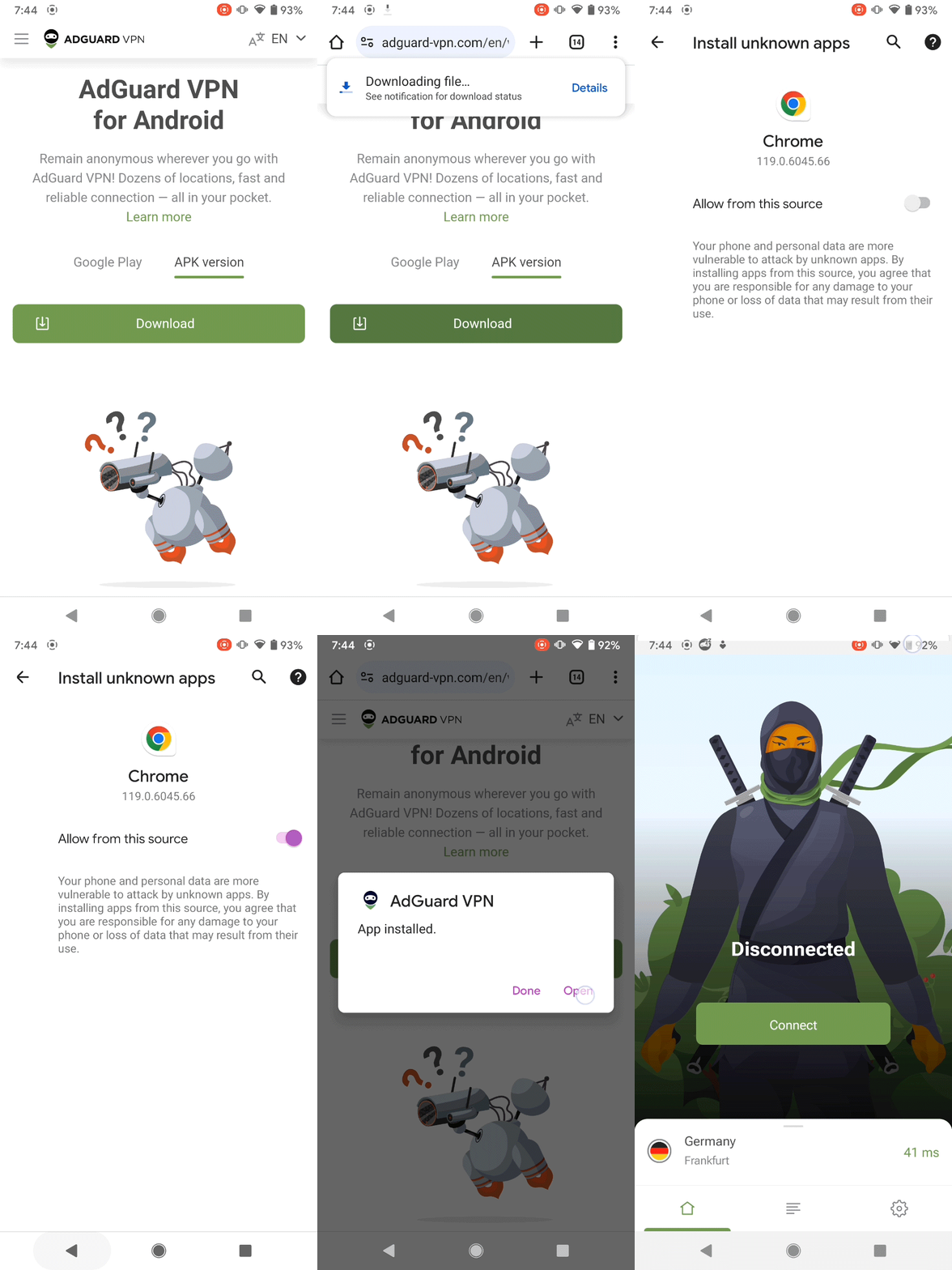
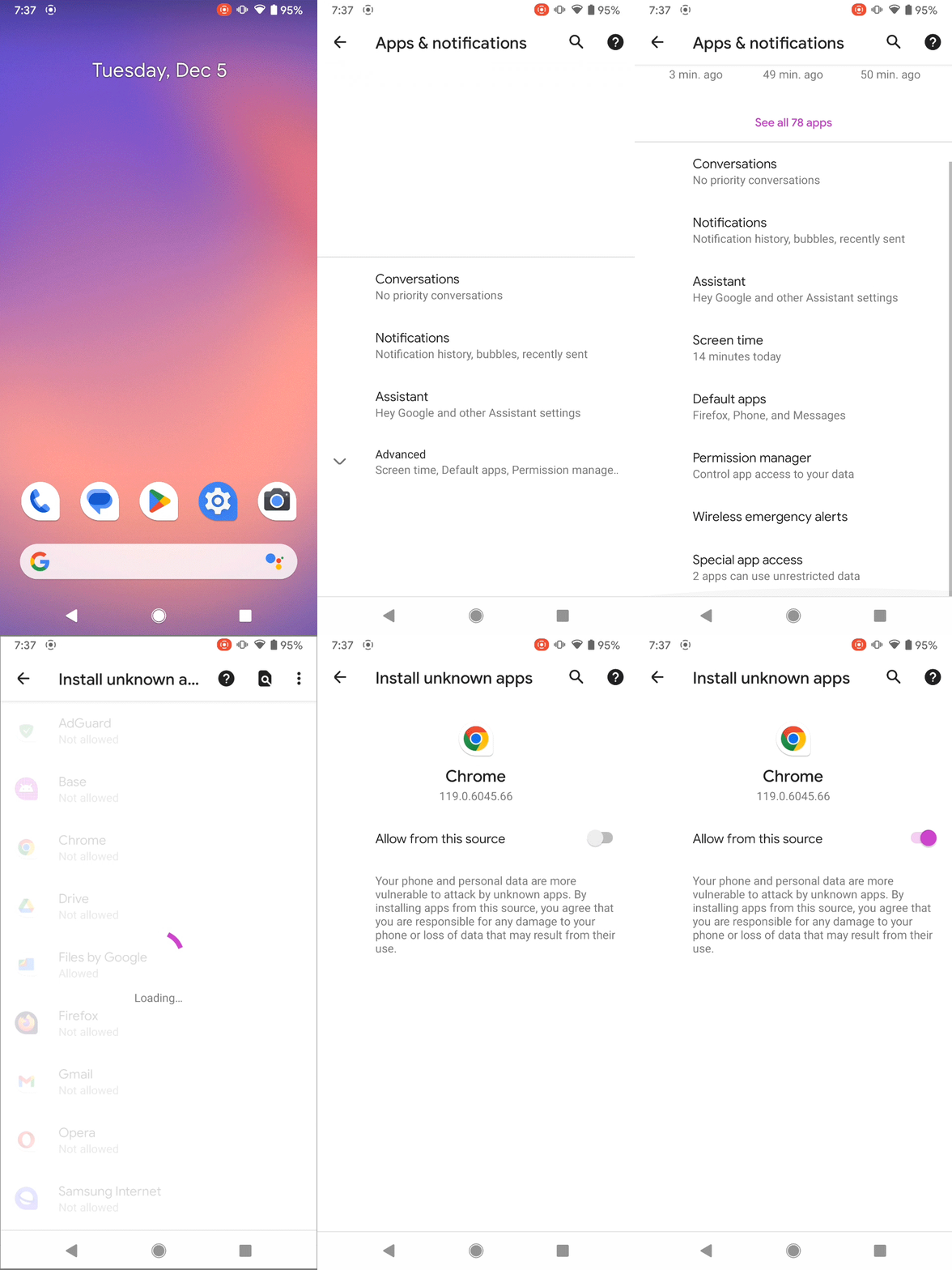
Downloading and installing Remote 1 Gsmedge 1.0 APK is a straightforward process. Here are the steps:
: The Remote 1 Gsmedge.apk is installed on the locked device. In today's fast-paced world, staying connected and in
: It is frequently used on older Android versions (like Android 7.0/Nougat) to remove Google account locks.
: Using this tool typically results in a complete wipe of all installed apps and personal data on the device. Technical Details : Approximately Availability
Improper use can lead to "bricking" (making the phone unusable) or permanent software errors. Professional Alternatives Background and Purpose Remote 1 Gsmedge 1
Using an on a PC to send a browser launch command via USB.
Once a browser is opened, the user can download and install the Remote 1 Gsmedge APK. After installation, the app is claimed to facilitate adding a new Google account to the device or modifying system settings to disable the FRP, effectively unlocking the phone.
The version number, "1.0," is particularly telling. It signifies an initial release, a foundational build intended to test the waters of functionality. In the world of third-party development, a 1.0 release is often a proof of concept. It suggests that the developer, likely an independent entity given the absence of a major corporate brand, sought to release a tool quickly to address a specific need that mainstream applications were not meeting. This highlights a key strength of the Android platform: the ability for developers to create and distribute solutions for highly specific problems without the gatekeeping of an official app store.
Open your File Manager and locate the downloaded .